Trim & cut in seconds
Pull both handles to keep the highlight. Split, delete, undo — full multi-track timeline, no second app.
Works with
 NVENC
NVENC  AMF
AMF  QSV
QSV From replay buffer to published clip in under a minute.
 Auto Clip
  Auto Clip
 Auto Clip
 Auto Clip
  Auto Clip
  Auto Clip
  Auto Clip
  Auto Clip

 Auto Clip
 Auto Clip

 Auto Clip Auto Clip Auto Clip Auto Clip Auto Clip Auto Clip Auto Clip Auto Clip Auto Clip Auto Clip Auto Clip Auto Clip
 Save your best plays, edit them in seconds, and share them with one link. All in the same app you're already running.
Pull both handles to keep the highlight. Split, delete, undo — full multi-track timeline, no second app.
Drop in SoundCloud tracks, animated text, transitions, and meme overlays. Edit right where you record.
Hit share, paste anywhere. Auto-unfurls in Discord with a clip preview — no upload wait.
Yep, 100%. Recording, replay buffer, editing, text, memes, effects, music, and 1080p export — all free, forever. No trial, no catch. Premium unlocks 4K, GPU-accelerated export, H.265, and removes the small watermark on edited exports.
Nah. Replayd uses native GPU capture (NVENC, AMF, QSV) that runs on dedicated hardware encoders — your GPU cores stay free for your game. You won't notice it's there.
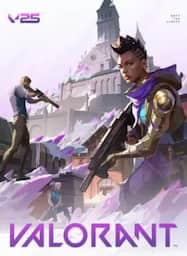
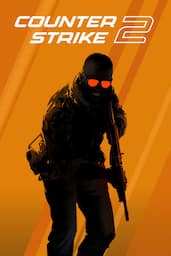
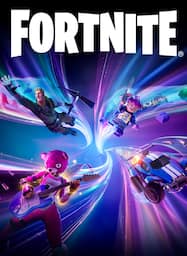
5,000+ games work out of the box — Valorant, CS2, Fortnite, Apex, Roblox, Minecraft, you name it. If your game isn't listed, just add it manually.
Replayd is always recording in the background. When something sick happens, hit your hotkey (default Alt+F) and the last 5 seconds to 10 minutes are saved instantly. No need to "start recording" before the play — it's already captured.
Hit "Create Link" on any clip in your library. Replayd uploads it and gives you a link you can drop in Discord, Twitter, or wherever. That's it.
Nope. Replayd uses the same GPU-level screen capture that Windows itself uses. It doesn't inject into game processes or touch game files. You're good.
Free forever. Zero FPS impact. Record, edit, share — all in one app.
Windows 10 / 11 · 100% Free